Archive Note: This article was originally published on LinkedIn on April 21, 2023. I am archiving it here as a technical case study in leveraging modern APIs for historical data recovery.
Reflecting from 2026: While the 'Nova' model was the highlight then, the evolution of diarization (identifying different speakers) has since become a cornerstone of how we process unstructured audio data at scale.
I recently posted about rejoining the world of work after taking a couple of months out to reset, refresh and work on a couple of personal projects. One of those "projects" was dealing with my late grandmother's estate. It's amazing the things you can discover about people you've known all of your life in situations like these. Fascinating. But this isn't a piece on my learnings about my grandparents (there's too much to cover and this is not the place). This is about my discovery of a great new speech recognition system, in a situation I'd never have foreseen, and how I was quickly and accurately able to use it to transcribe a business meeting from over 40 years of age!
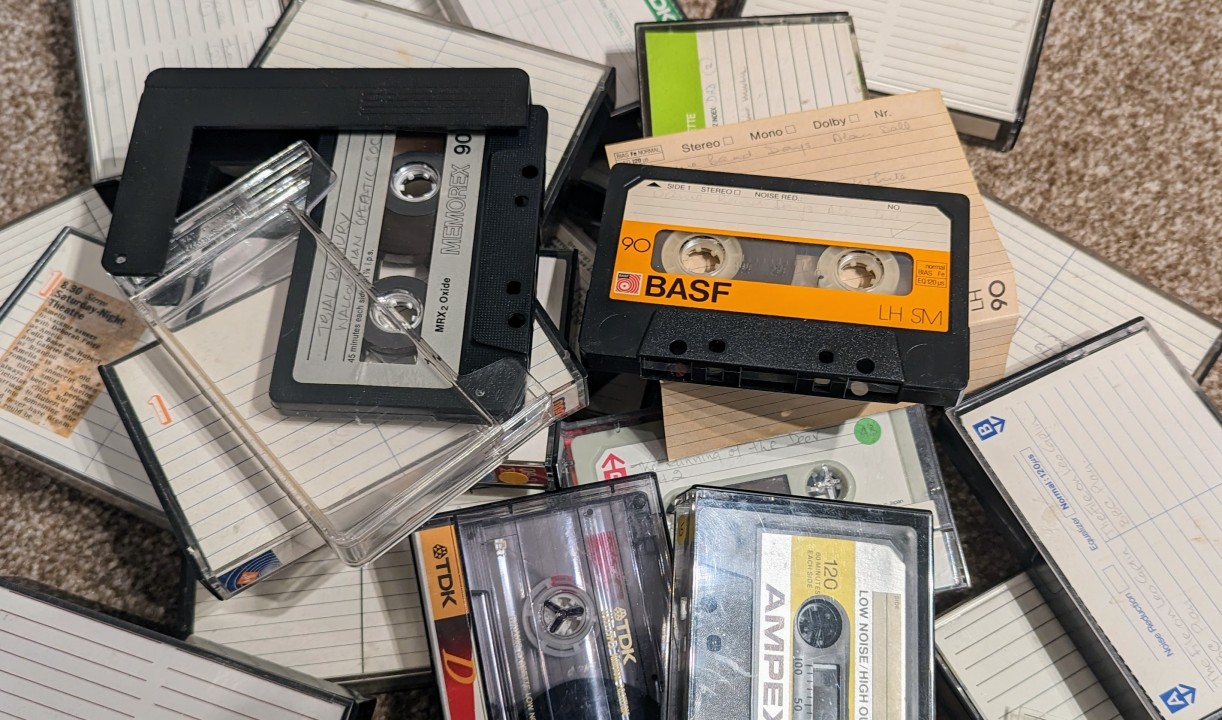
Context. My grandfather ran a special effects film company. He provided effects for films like "2001: A Space Odyssey" and "Blade Runner", he also worked on a lot of animation. I can remember being absolutely traumatised by watching "Watership Down" as a 5 year old, because he was involved with that. So when I stumbled upon a cassette tape of a film company meeting that was held in 1981, I couldn't wait to have a listen. All I'll say is that it was not what I was expecting from a meeting of a film company. It was more like something that Mike Leigh may have written at about the time of "Abigail's Party". Let's just say it was "of it's time". But fascinating. Could it be reworked, anonymised and potentially turned into a play? I contacted an actor friend of mine who has had a listen and is keen to look into it. But we needed to get a transcript of 2 hours of audio from a cassette tape from the early 1980's. I was going to have to do it by hand....or was I?
I had a quick look for software to do this. There is loads. But not a lot that doesn't require an expensive contract/purchase. Since I was only intending to do this once, those offerings were not really on the table. I then discovered a brand new speech recognition system called "Deepgram". It's simple. It's inexpensive ($0.0044 per minute for the model I am using, at the time of writing) and you can use it on a "Pay As You Go" basis. What's more, they are currently offering $150 in free credits!
I was sold! I signed up and started to play. Their website provides great documentation, it comes with built-in training "Missions" and it literally takes a few minutes to go from discovering it, to getting your first piece of audio transcribed. You can do this using one of their early "Missions" with a few clicks.
Once I had tried it and saw just how good the results were, I immediately started going off-piste a little. I started thinking "What sort of data analysis could this be used for?", which quickly descended into "What fun can I have with this?". The data you get from Deepgram goes down to the level of timings (start/end) on individual words used by people. It even identifies the speakers (speaker 0, 1, 2, 3, etc) and paragraphs. The devil in me got me to thinking that I could use this to have a bit of fun doing something similar to this https://www.youtube.com/watch?v=msKYmIsO0A0. I haven't as yet, but watch out fellow past and present presenters of Between2Bits 😉
Anyway, once I got my head out of the somewhat childish opportunities for this, I decided to see how easy it would be to build something to carry out the uploading and processing of sound file data and return the results to be analysed. Super easy! I decided to use Talend Open Studio. It is second nature to me and many of my followers use it. I built a job in about 10 minutes with no more than 3 components. You can see this below...
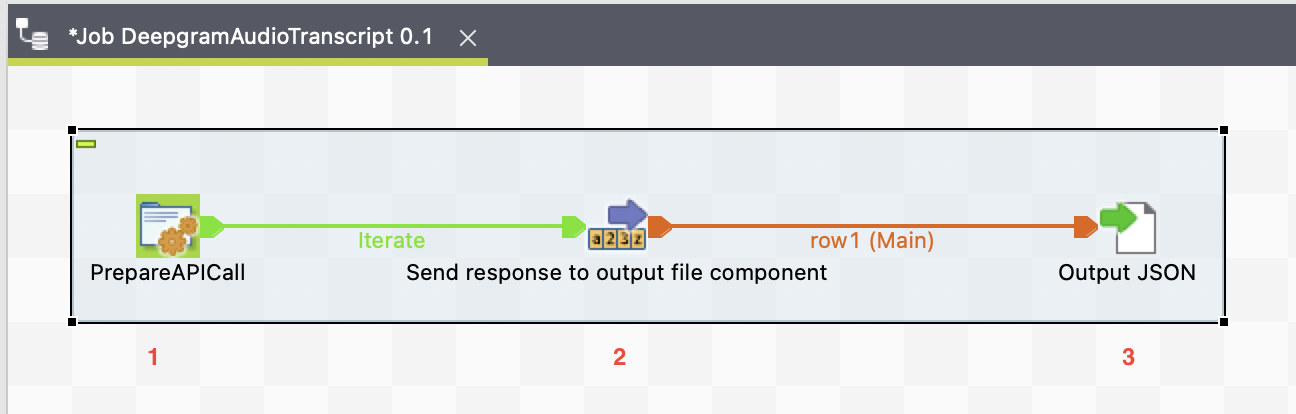
I'll show screenshots of each of the components' configurations and add any code here as well, in case you want to try this. You'll see that I have chosen to simply output the return data in a JSON file. This isn't necessary and you can adjust the job to pull the JSON apart and analyse. But rather than post a lengthy example of the post processing of the acquired data, I thought I'd post the basics and allow you to have a play and extend. Let me know what you end up doing with it.
The bulk of the work is carried out by the "PrepareAPICall" tJava component. This can be seen below....
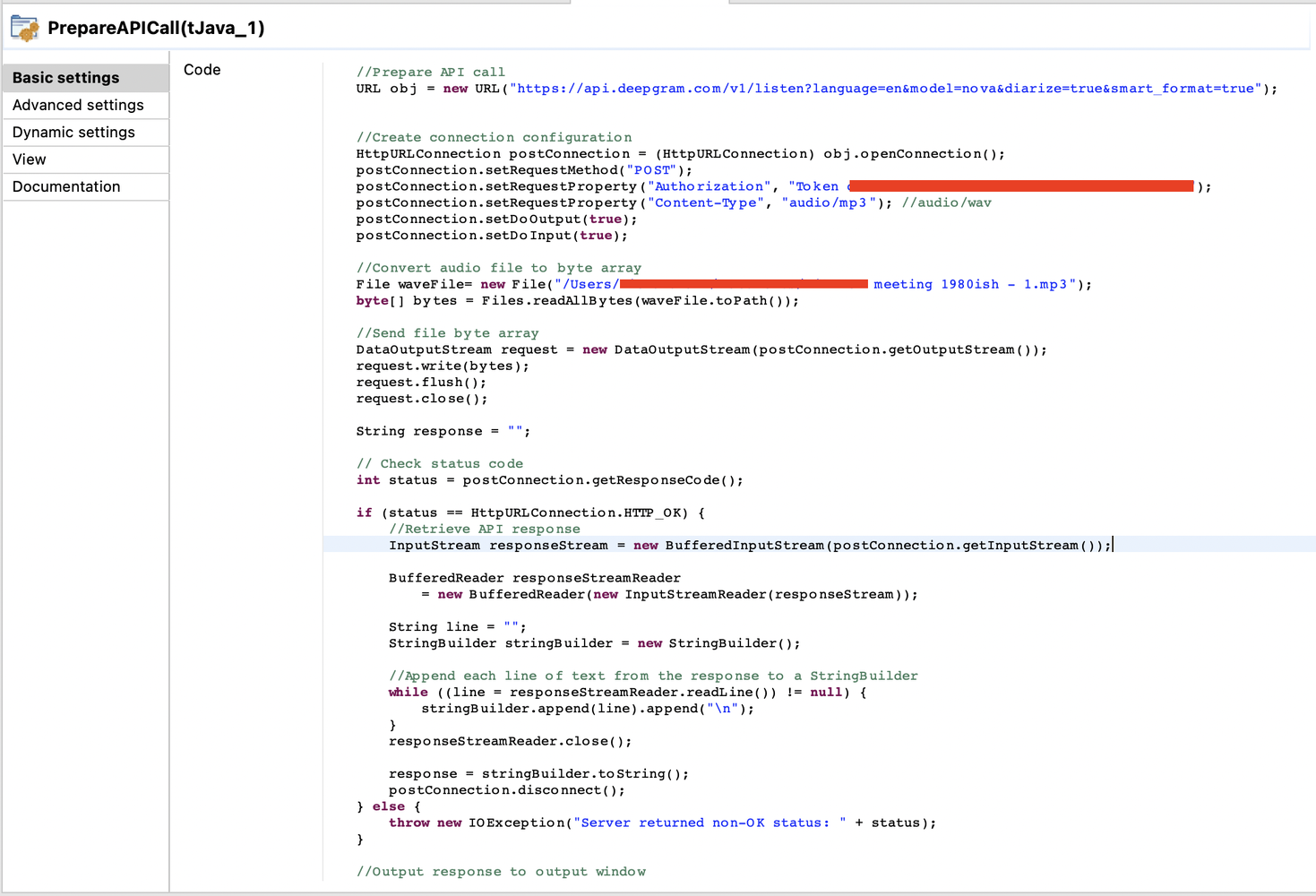
You can see that this is just a small amount of Java. This is included below for you to copy. It's not terribly difficult and you should be able to just copy and paste it into your job....or even outside of a Talend job if you wish to use it in another Java environment. This deals with preparing the API call and firing it to Deepgram. I've hidden my token details and path to my file.
// Prepare API call
URL obj = new URL("https://api.deepgram.com/v1/listen?language=en&model=nova&diarize=true&smart_format=true");

// Create connection configuration
HttpURLConnection postConnection = (HttpURLConnection) obj.openConnection();
postConnection.setRequestMethod("POST");

// The xxxxx section is for your token
postConnection.setRequestProperty("Authorization", "Token xxxxxxxxxxxxxxxxxxxxxxxxxxxxxxxxxxxxx");
postConnection.setRequestProperty("Content-Type", "audio/mp3");
postConnection.setDoOutput(true);
postConnection.setDoInput(true);

// Convert audio file to byte array
File waveFile = new File("/path/to/my/file.mp3");
byte[] bytes = Files.readAllBytes(waveFile.toPath());

// Send file byte array
DataOutputStream request = new DataOutputStream(postConnection.getOutputStream());
request.write(bytes);
request.flush();
request.close();

String response = "";

// Check status code
int status = postConnection.getResponseCode();
if (status == HttpURLConnection.HTTP_OK) {
    // Retrieve API response
    InputStream responseStream = new BufferedInputStream(postConnection.getInputStream());
    BufferedReader responseStreamReader = new BufferedReader(new InputStreamReader(responseStream));

    String line = "";
    StringBuilder stringBuilder = new StringBuilder();

    // Append each line of text from the response to a StringBuilder
    while ((line = responseStreamReader.readLine()) != null) {
        stringBuilder.append(line).append("\n");
    }

    responseStreamReader.close();
    response = stringBuilder.toString();
    postConnection.disconnect();

} else {
    throw new IOException("Server returned non-OK status: " + status);
}

// Output response to output window
System.out.println(response);

// Set response to globalMap to be used later
globalMap.put("filedata", response);
The next component is a tFixedFlowInput component. This is simply used to pass on the data collected in the globalMap under a key of "filedata" (shown above). Very easy to configure and this can be seen below....
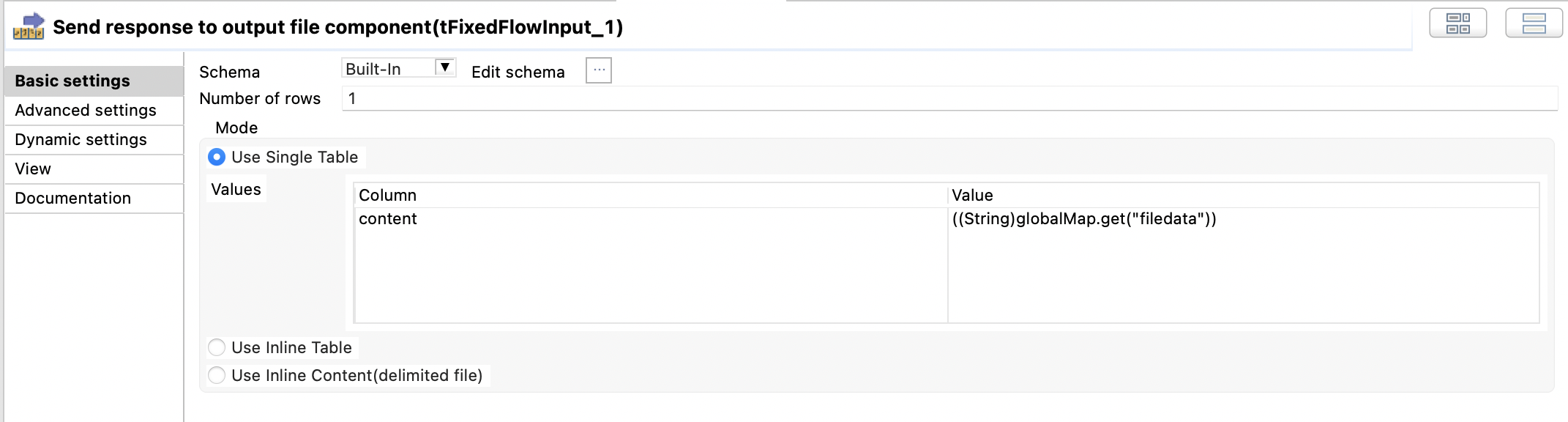
A single column called "content" was created and the value is set to ....
((String)globalMap.get("filedata"))
The final component is a tFileOutputRaw component. All this does is simply dump the data in the globalMap to a text file.
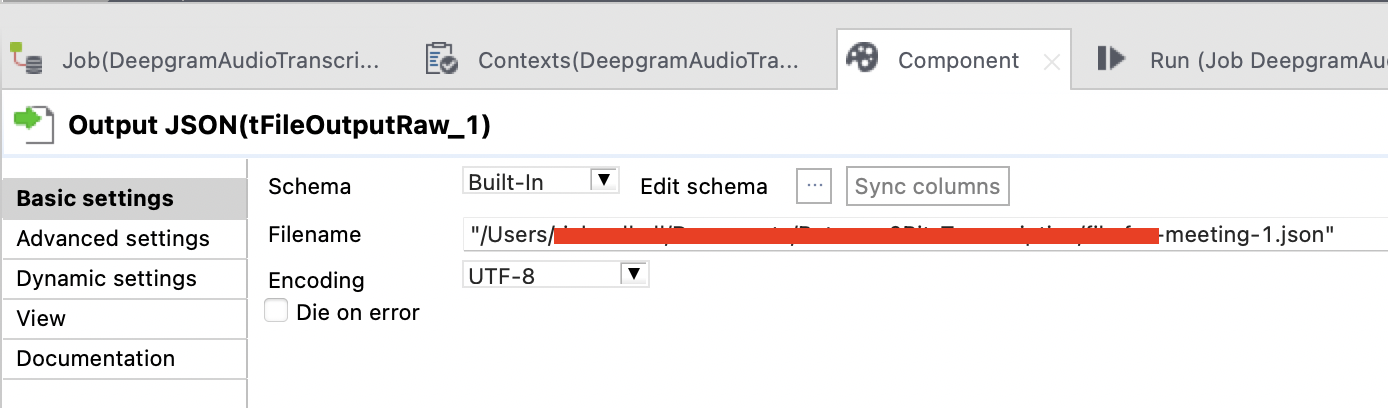
With that, it is complete. As I said, you can easily extend this to do A LOT more and I am very interested to see/hear what you choose to do with it. It actually took me longer to write this section and collect the screenshots than it took me to learn what I needed from Deepgram and actually build the job.
But "what does this produce?" I sense you wondering. Unfortunately, displaying JSON is not the friendliest of things to achieve in a post like this. I could just add it as a file, but I don't particularly want to give away the content of this at the moment. But what I can do is point you towards a great tool for analysing JSON online, called JSON Path Finder. I've also included some screenshots of what JSON Path Finder will show when you paste the returned JSON data to it. For the content, I processed an episode of Between2Bits. You're seeing the opening sentences spoken by my friend Jason Cruz Falzon in that episode.
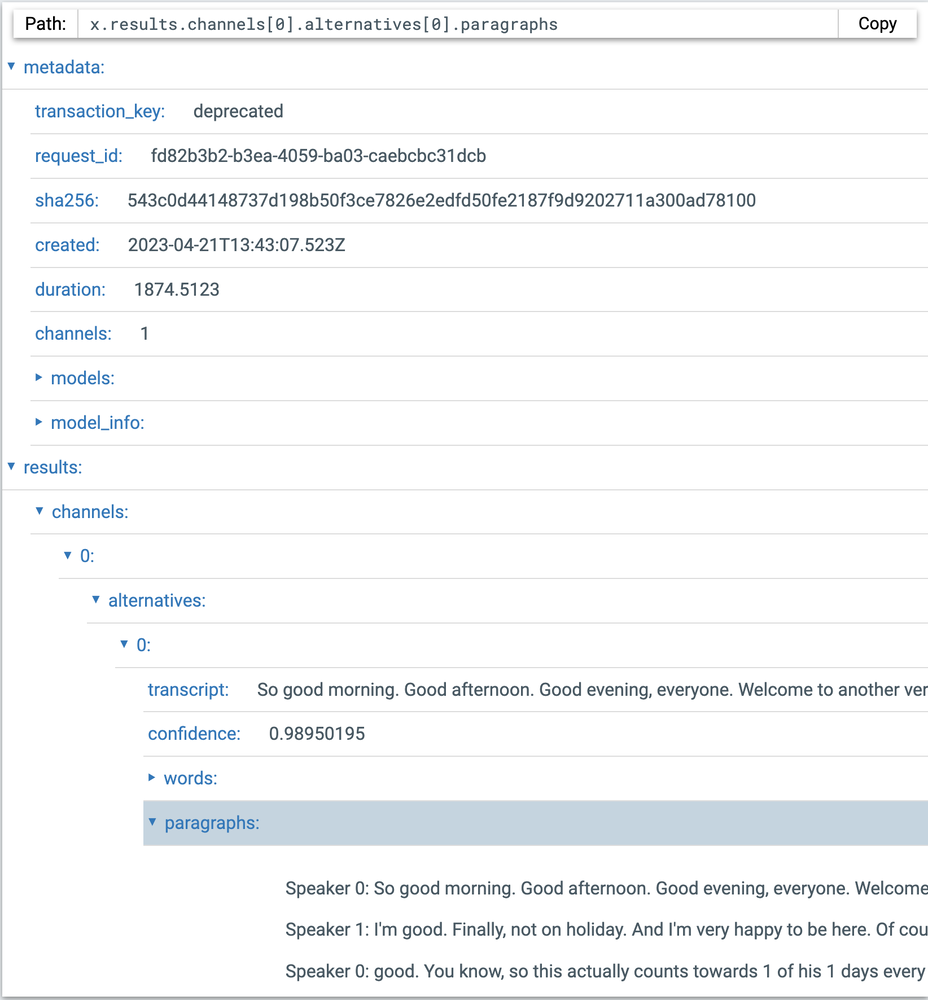
You'll see that my transaction_key is deprecated. I was lazy and didn't update it for this content. But that is very easy to do. Below the metadata at the top of the file, you can see the transcribed text data. In the section shown above you can see the beginning of a complete transcript, a confidence level of that transcript, a words section (which contains every word used in order...I'll show this in the next screenshot) and the paragraphs spoken (I'll show this as well).
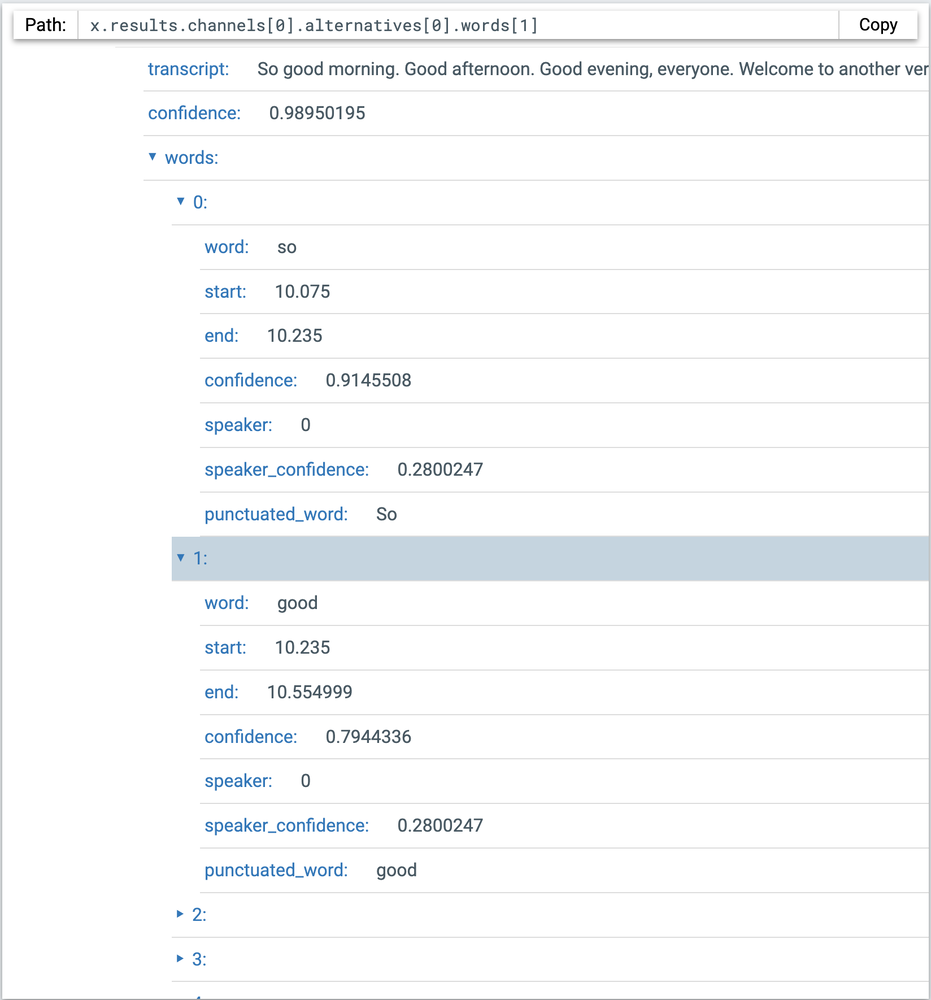
As you can see, you don't just get the words used, but also the speaker of those words, the confidence score (on the accuracy of the transcription) and the start and end time of the word (the data that inspired my more childish aspirations described above 😊 ).
The final section to give you a glimpse of, is the paragraph section.
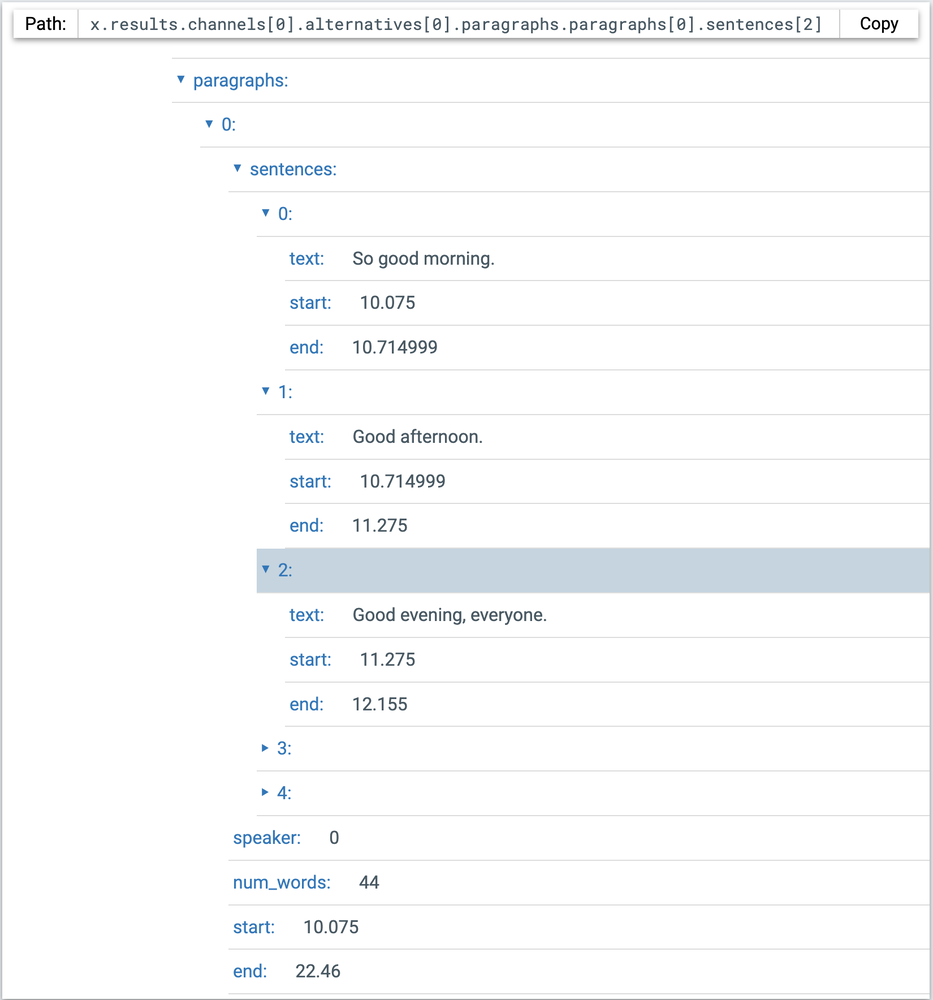
Here we have similar data to that of the words section. This section is the most valuable part for my initial use case which took me into the rabbit hole of playing around with this.
I have barely scratched the surface of what is possible with Deepgram. But what I love is that from simply having a little scratch of that surface, I was able to solve my original problem and reveal a whole host of potential use cases for this. Since doing this, I have also found a way of implementing realtime transcription using web sockets. That took a little bit longer to get right, but no more than half a day to figure it out and get something working. Imagine being able to process realtime spoken data with very little work to implement and the ability to do it for as little as around $0.0044 per minute. I firmly believe that Deepgram is a company to keep an eye on....or should that be an ear on 😉
Source: This article was originally published on LinkedIn.
Status: Archived & Updated for rilhia.com.